



Proven fixes to stop Kodi buffering, freezing, and stuttering on modern streaming devices.
Kodi remains one of the most powerful media platforms available — but fix Kodi buffering is still one of the most searched problems for users in 2026.
The good news?
Kodi buffering is almost always fixable once you understand what actually causes it.
This guide walks you through every proven fix, step by step, and includes new 2026-specific optimisations that weren’t relevant in older guides.
If you’ve landed here from our Streaming Guides & How-To section, you’re in the right place. This guide focuses specifically on performance troubleshooting, and walks through the proven steps to stop Kodi buffering in real-world use.
📝 Affiliate Disclosure: Some of the links on this page are affiliate links, which means I may earn a small commission if you make a purchase — at no extra cost to you. This helps support the site and allows me to keep creating honest, ad-free content. Thanks for your support! ❤️
Buffering happens when video data isn’t downloaded fast enough to stay ahead of playback.
Kodi is more sensitive than apps like Netflix because:
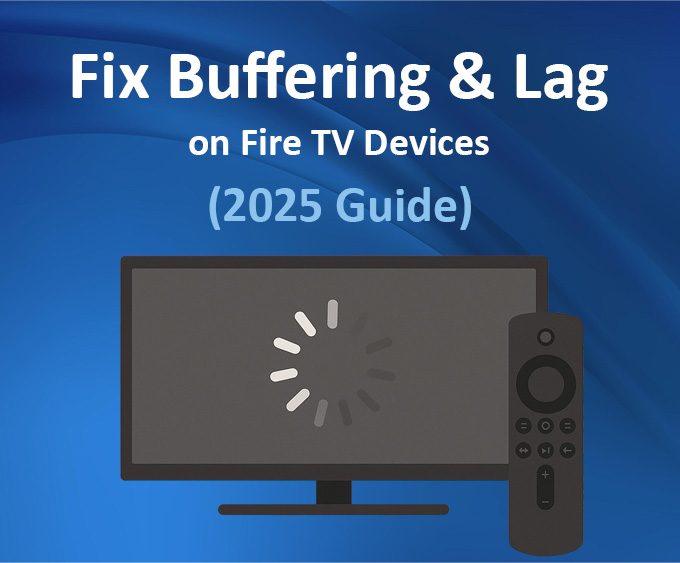
If you’re seeing similar issues outside Kodi, our guide on fixing streaming lag and buffering on Fire TV devices explains why this happens across apps.
Buffering doesn’t always mean slow internet — it often means poor optimisation.
Kodi buffering usually comes down to one or more of the following:
Before changing advanced settings, it’s worth checking the basics – including your network setup. If you’re using a Firestick, see our guide on clearing cache and improving Fire TV performance.
These figures are still accurate and realistic in 2026:
These speeds are per device. Two Firesticks streaming 4K need ~50 Mbps consistently.
You can test your real-world speed using fast.com. For deeper network optimisation, see our Wi-Fi setup guide for 4K streaming devices, which covers router placement, interference, and real-world fixes.
Below are the most effective ways to fix Kodi buffering and freezing on Firesticks, Android TV, and more powerful streaming devices.a
If you’re setting Kodi up from scratch, follow our step-by-step Kodi installation guide for Fire TV before applying these fixes.
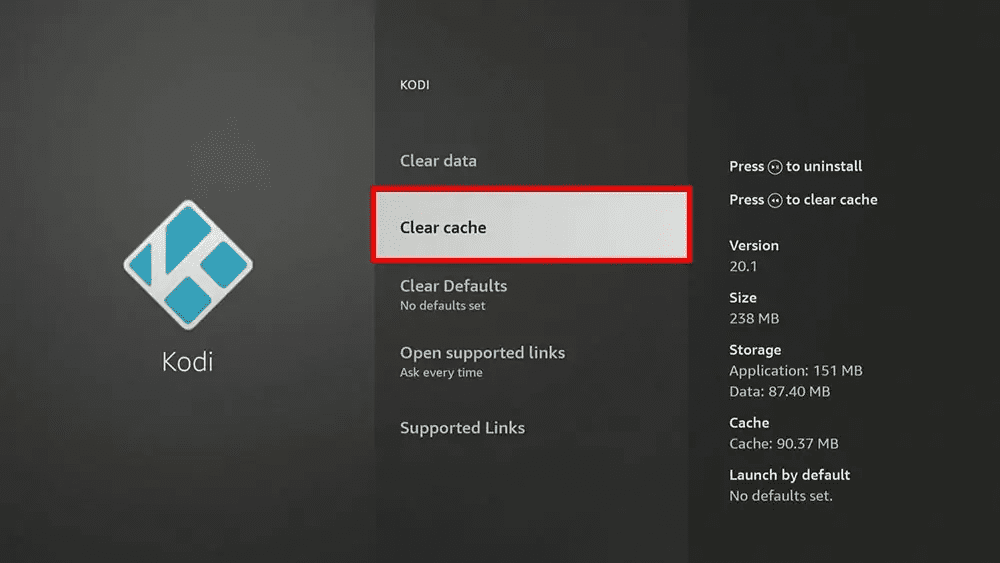
This alone fixes buffering for many users.

Clear data unless you want to reset Kodi.
If performance issues persist across apps, a full Fire TV or Google TV reset can sometimes resolve deeper system-level slowdowns.
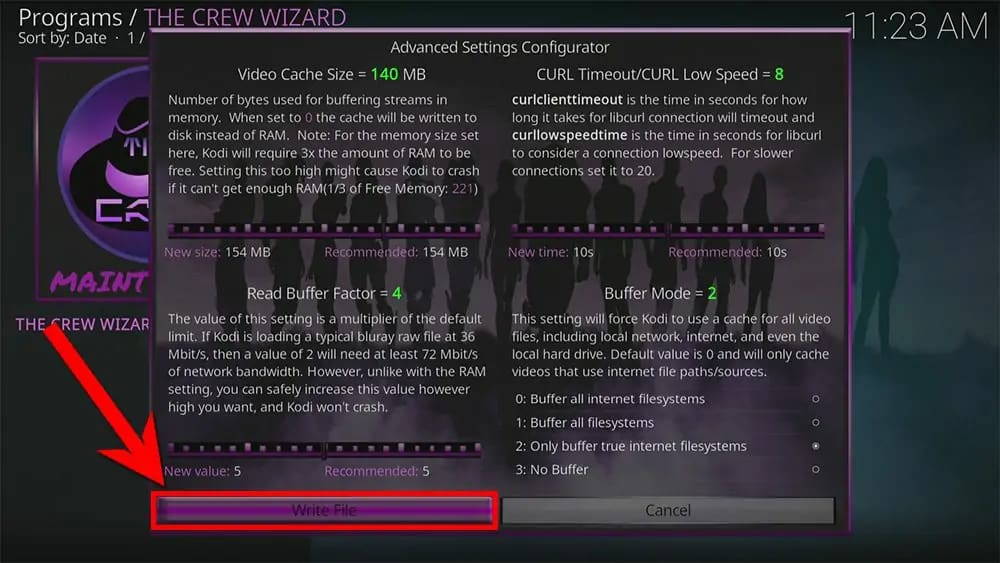
Kodi allows manual cache tuning using an advancedsettings.xml file.
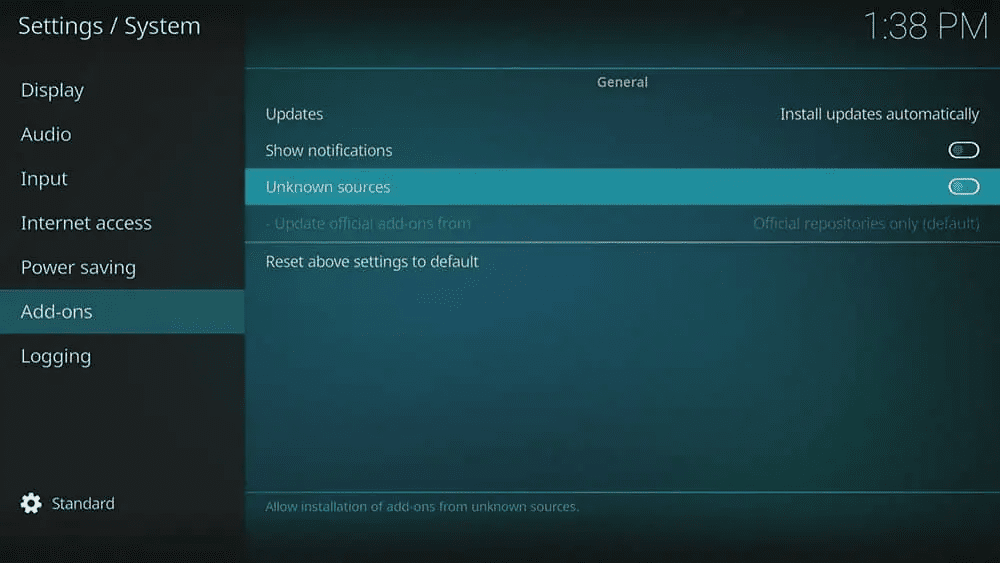
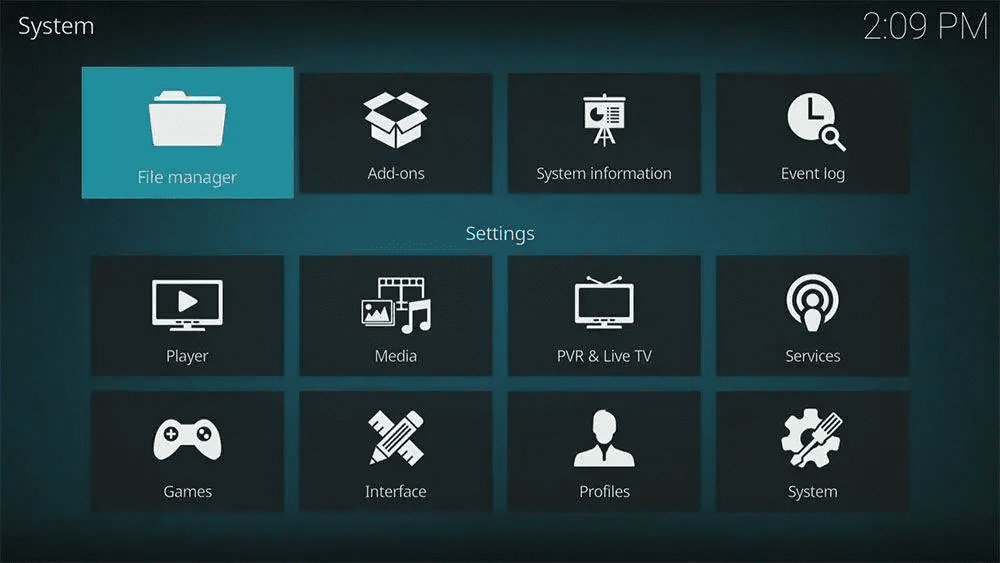
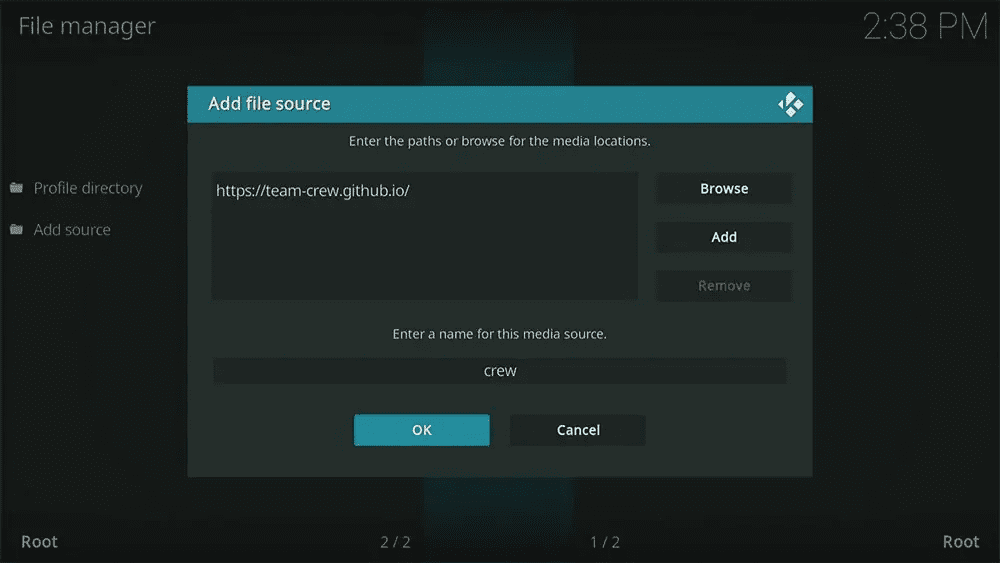
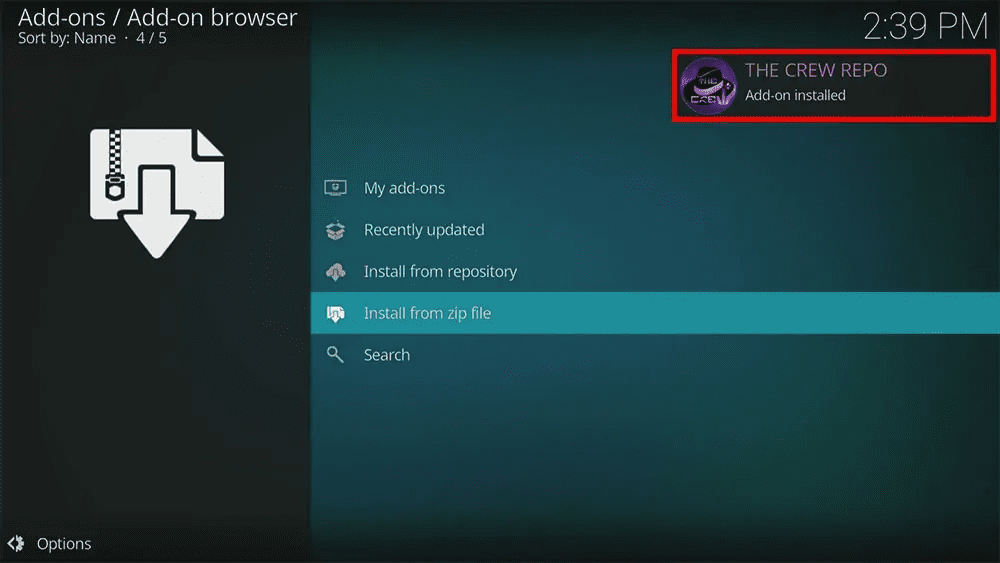
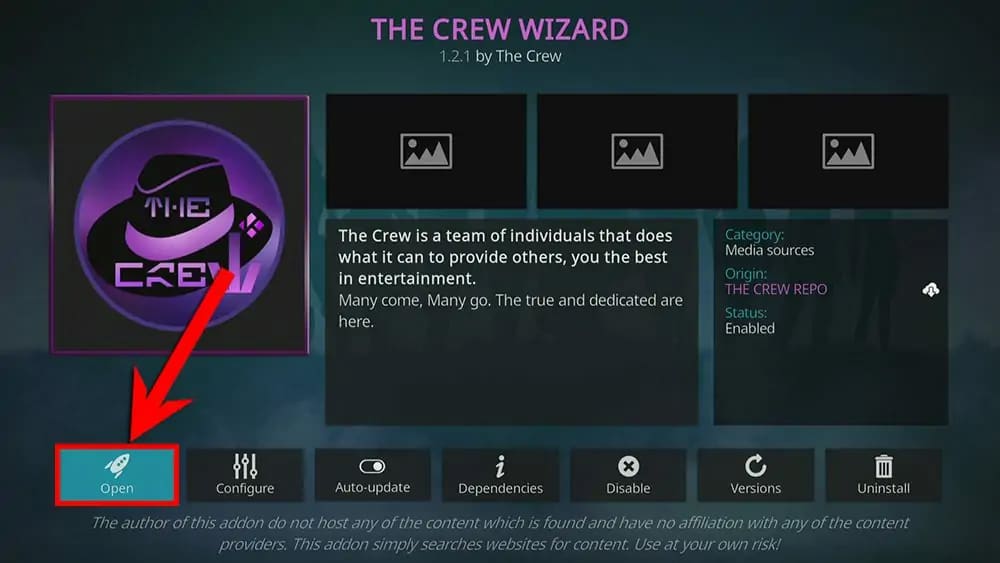
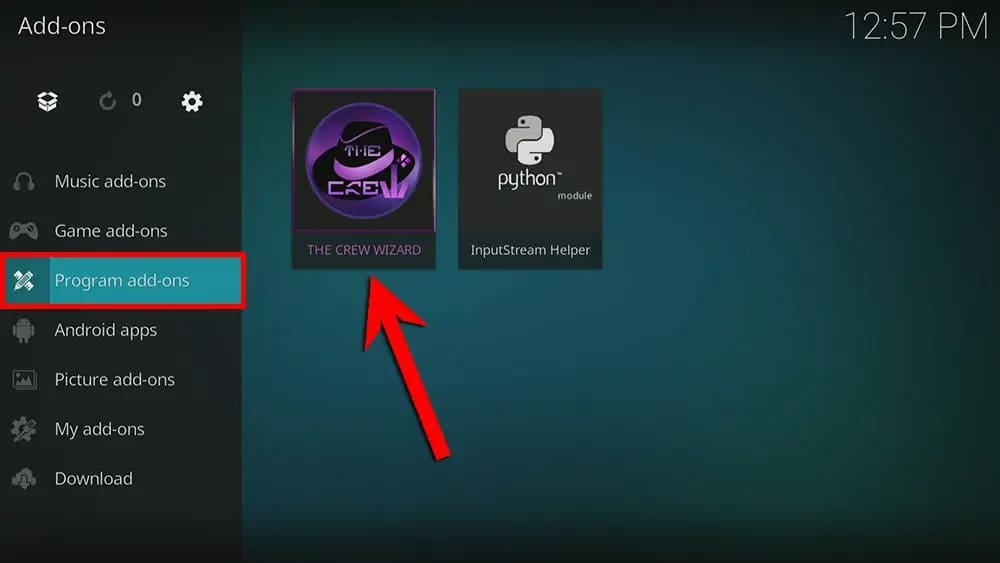
The easiest method is The Crew Wizard, which still works reliably in 2026. The following steps will show you how.
The following steps involve using a community-made wizard to automate technical settings. While tools like The Crew Wizard are widely used to fix performance, they are third-party add-ons. We recommend using a reliable VPN like NordVPN to ensure your connection remains private and to prevent ISP throttling during the setup process.


If you cannot find the colon key : select the CAPS LOCK button


You’ll see a confirmation message in the screen’s top-right corner that The Crew Wizard addon is installed. A message will appear on the screen after a few moments. Read then dismiss the message.
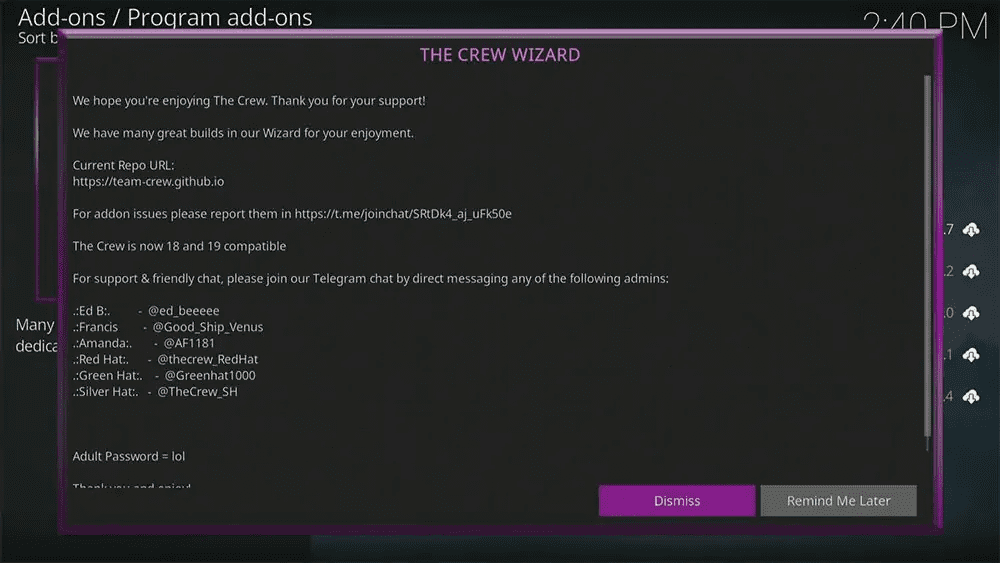


Over-sized cache values can cause crashes on Firesticks — always use recommended settings.
Temporary files slow Kodi over time. Use The Crew Wizard to delete them.

Do this monthly.
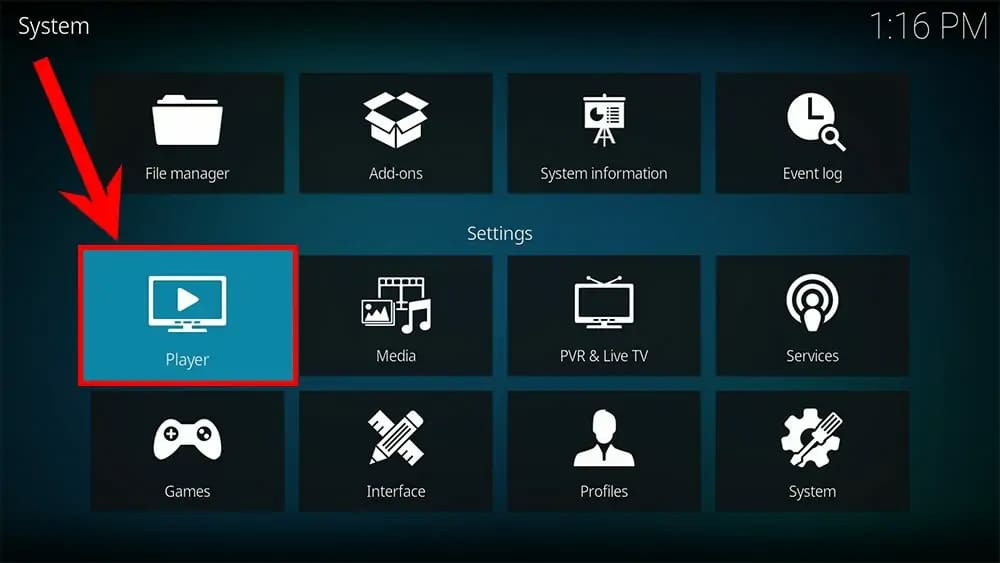
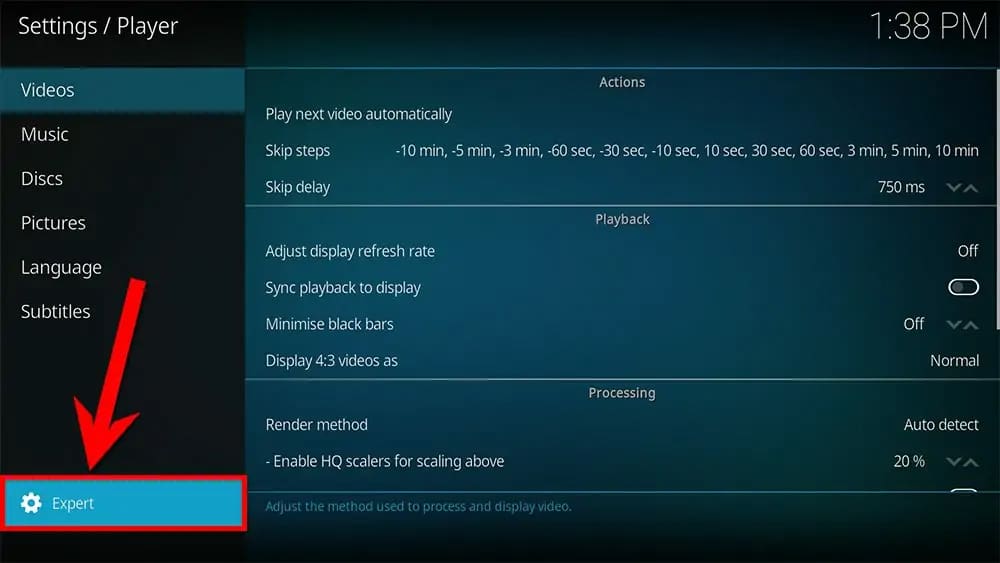
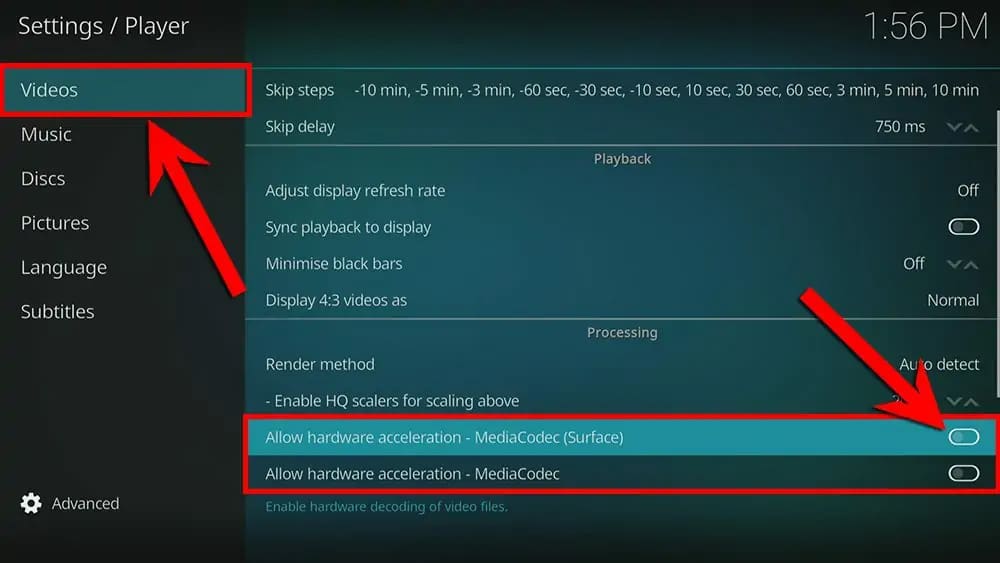
Hardware acceleration causes stuttering on many Fire TV devices. However, you can fine-tune system-level performance using our recommended Firestick 4K HDR settings, especially on older or entry-level models.
One of the biggest causes of Kodi buffering issues is hardware acceleration. You might be able to resolve all of your problems by just disabling it.


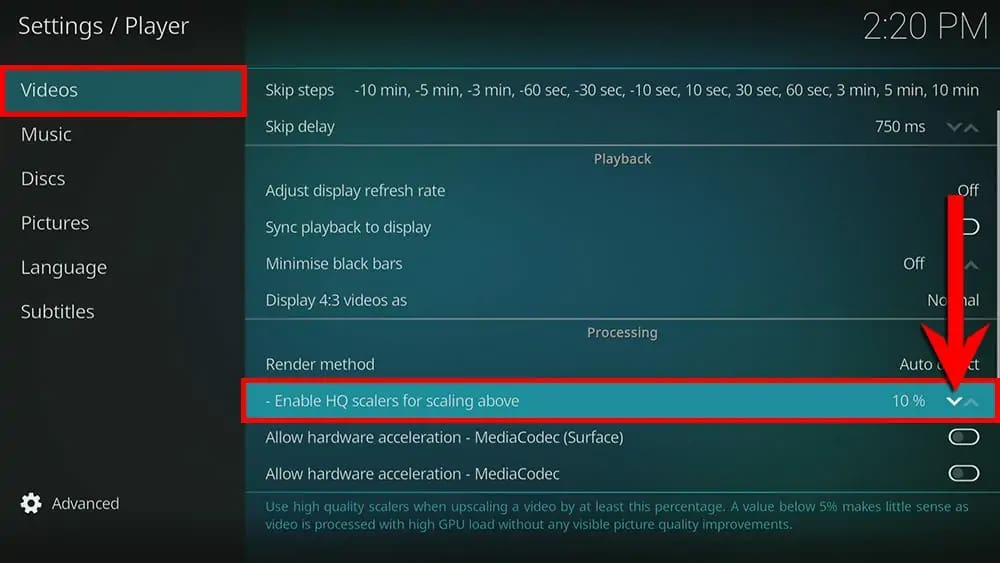
Kodi upscales low-quality streams, which strains weaker devices.

Real Debrid is an unrestricted downloader that allows you to download files instantly and at the best of your internet speed. Despite being a subscription service, Real Debrid remains on of the best ways to eliminate buffering.
Benfits:
Create an account at the Real Debrid website, then link your Real Debrid account to your Kodi addon, or build, by following steps by searching for online tutorials.
Even budget Firesticks perform far better with Real Debrid.
Some ISPs still throttle streaming traffic.
A VPN:
I personally use NordVPN because it has fast servers, a dedicated Fire TV app, and works reliably with Kodi. If you’re new to this, see our VPN for Firestick & Google TV: Secure Streaming Guide.
Advanced users may prefer a VPN set up directly on the router, which protects all streaming devices automatically.
Even with the correct settings, Kodi performance is heavily influenced by how it’s used day to day, particularly on compact streaming devices.
These aren’t replacements for the fixes above — they explain why Kodi still buffers for some users even after setup.
Modern Kodi builds are often designed for PCs or powerful boxes, not Firesticks. More powerful devices handle Kodi far better — especially when you take advantage of advanced NVIDIA Shield features and optimisations.
Install massive all-in-one builds packed with dozens of addons.
Stick to one or two reliable addons you actually use.
This reduces memory presusre and prevents freezing during playback.
Wi-Fi congestion is far more common now than it was a few years ago.
If your device supports it:
This is especially noticeable on Firesticks used in busy home networks.
Not all buffering is caused by your device.
If a stream buffers repeatedly:
No cache tweak can fix a bad stream.
If you’ve tried everything and still see buffering, the device itself may be the bottleneck.
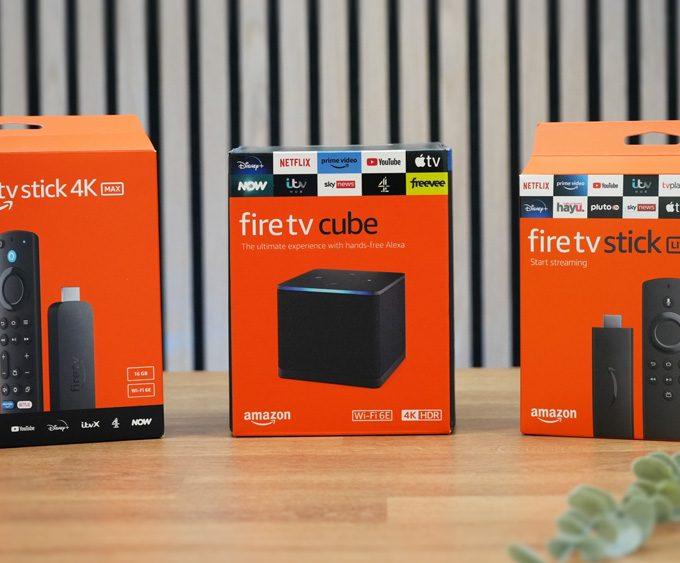
More powerful devices like the NVIDIA Shield TV Pro handle Kodi far better thanks to extra RAM and stronger decoding hardware.
Kodi buffering is usually caused by overloaded streaming sources, poor cache configuration, hardware acceleration conflicts, or device limitations — not raw internet speed.
Yes. Clearing Kodi’s cache removes corrupted or outdated temporary files and often restores smooth playback instantly, especially on Firesticks.
Absolutely. Real Debrid provides faster, more reliable links with far less buffering and is one of the most effective Kodi performance upgrades in 2026.
On many Fire TV and Android devices, hardware acceleration causes stuttering. Turning it off often fixes buffering and freezing issues.
Yes. A VPN can prevent ISP throttling and improve stream consistency, especially during peak hours or when using popular addons.
The NVIDIA Shield has more RAM, stronger hardware, and better decoding support. Firesticks require lighter setups and fewer addons to perform well.
Kodi buffering isn’t inevitable — and with the right setup, you can fix Kodi buffering even in 2026.
Most users fix it by:
If you’re working through multiple performance guides, you can return to the Streaming Guides & How-To category for related tutorials on Fire TV optimisation, network tuning, and device setup.
Tanya is the founder of unboxd.tech, where she shares guides, reviews, and tips on streaming devices and apps. She focuses on making streaming simple with practical fixes and smart home insights.
If your Firestick, Fire Cube, or Fire TV device keeps showing the...
ByTanya1 month AgoIf your Firestick feels sluggish or apps keep crashing, learning how to...
ByTanya1 month AgoVoice control now comes as standard on most streaming devices. That convenience...
ByTanya1 month AgoIf your streaming device keeps freezing or lagging, sometimes the best fix...
ByTanya5 months Ago
Leave a comment