







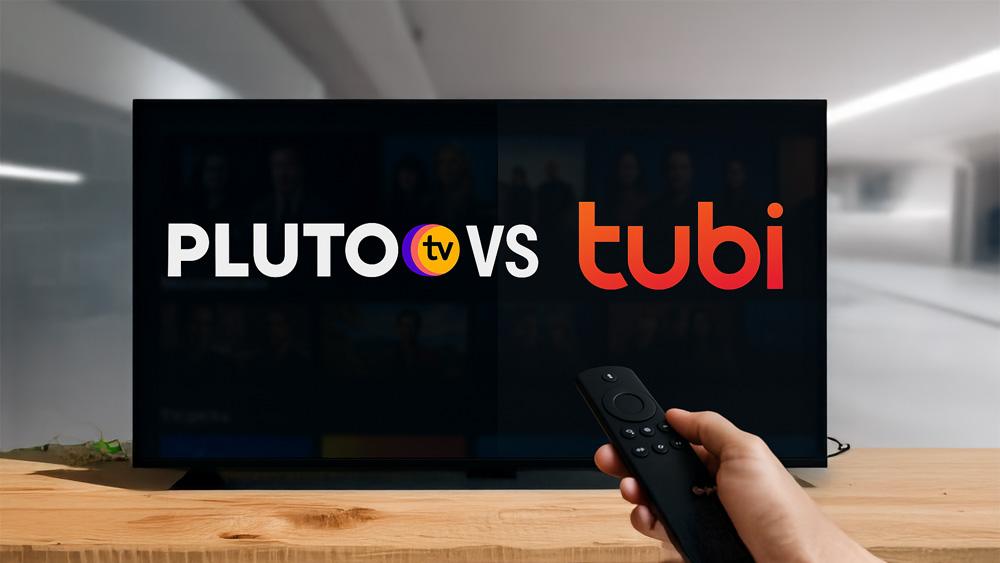
Cutting costs doesn’t mean cutting entertainment. In this Pluto TV vs Tubi guide, we compare the two biggest free, ad-supported streaming apps (FAST) to help you decide which suits your viewing style, devices, and data plan.
For more comparisons across free and premium services, you can browse our Free vs Paid Streaming hub — or explore the wider Streaming Apps & Services section for updates across Netflix, Disney+, Prime Video, Pluto TV, Tubi and more.
Quick Answer (Verdict)
- Pick Pluto TV if you love channel surfing and background TV. Its live, linear channels (news, reality, classic TV, niche streams) feel like cable—without the bill.
- Pick Tubi if you want a huge on-demand library with better browsing, recommendations, and growing Tubi Originals. Great for movie nights and curated categories.
- Install both on Fire TV/Google TV: use Pluto for live “lean-back” viewing and Tubi for specific movies/series.
Pluto TV vs Tubi: Key Differences
Pricing & Availability
Both are 100% free with ads. No ad-free tier. Availability and catalogues vary by region.
One way to expand content libraries is to set up a VPN on your router for region-free access.
👉 If you want a completely free and safe option for streaming regions, see our full guide: Proton VPN Free on Firestick & Google TV — one of the few free VPNs with strong privacy, no ads, and unlimited usage.
Live TV vs On-Demand
- Pluto TV: Strongest at live/linear channels (FAST). Hundreds of themed channels; easy background watching.
- Tubi: Strongest at on-demand films/series, with robust categories (cult, international, anime, docu, etc.) and Tubi Originals.
Content & Originals
- Pluto TV: Deep catalogues from Paramount brands (classic TV, MTV, CBS-adjacent channels), plus news and niche streams.
- Tubi: Large film library across genres, lots of indie and cult titles, and a growing slate of Tubi Originals.
Ads (what to expect)
Both insert ad breaks. Ad load varies by title and device; generally shorter than cable but longer than paid SVOD. Expect variability during live channels (Pluto) and mid-rolls in movies (Tubi).
Picture Quality & Downloads
- Expect HD on most devices; 4K is rare and not the focus of either service.
- Offline downloads: Generally not supported; these services are designed for streaming.
Profiles & Watchlists
- Tubi: Watchlist, Continue Watching, Kids/Family areas, and useful content rows.
- Pluto TV: Favourites/Continue Watching for on-demand; focus remains on live channels.
Pluto TV vs Tubi: Device Support
- Both run on Fire TV, Google TV/Android TV, Roku, Apple TV, smart TVs, web, iOS/Android.
- Works well on budget streamers such as the Onn 4K Plus.
Live TV Experience: Why Pluto TV Feels Like Cable
If you want something “always on,” Pluto’s live grid is the winner. Flip between news, reality, classics, sports talk, music channels, and niche themes (crime, sci-fi, retro cartoons). It’s ideal for background viewing or communal TV.
Best for: Channel surfing, live news loops, classic TV marathons, “leave it playing” sessions.
Movie Night & Browsing: Why Tubi Wins On-Demand
Tubi’s home screen and categories make finding a film painless—tons of hidden gems plus Tubi Originals. Recommendations improve as you watch, and the search/categories are stronger for movies.
Best for: Movie night, genre deep dives, international and indie titles, Originals.
Ads, Data, and Performance Tips
- Expect 3–6 ad breaks per movie on average (varies).
- On budget Wi-Fi or mobile data, set apps to Auto/HD to balance quality and buffering.
- For Fire TV/Google TV, keep apps updated and Clear Cache occasionally to fix stutters.
Pluto TV vs Tubi: Privacy & Accounts
- Both can be used without paid accounts. Creating an account helps with watchlists and resume features.
- Ad targeting is part of the free model—review each app’s settings if you prefer reduced personalisation.
Feature Checklist
✅ Free with ads
✅ Fire TV / Google TV / Roku / Smart TV support
✅ Continue Watching (both; Tubi’s is stronger)
✅ Live channels (Pluto: excellent | Tubi: available but secondary)
✅ Big on-demand libraries (Tubi stronger)
❌ Offline downloads (generally no)
⚠️ 4K content (rare; HD is the norm)
Which One Should You Install First?
- Pluto TV if you want instant live TV and a “lean-back” feel.
- Tubi if you want movies now with better discovery.
- Both if you have the storage—toggle between them based on mood.
How to Get Them on Your Device
- Official Pluto TV
- Official Tubi
- Prime Video devices: Pair this with our Onn 4K Plus Review for a great budget setup.
Pluto TV vs Tubi: Conclusion
For free streaming in 2026, Pluto TV is your live-channel champ, while Tubi is your on-demand heavyweight. Install both, personalise watchlists, and you’ll cover nearly every casual viewing need — without paying a penny.
For more platform comparisons and streaming-app breakdowns, visit our Free vs Paid Streaming hub — or explore the full Streaming Apps & Services section for news across Pluto TV, Tubi, Netflix, Prime Video, and more.
FAQ
Is Pluto TV or Tubi completely free?
Both Pluto TV and Tubi are free, ad-supported services. There is no ad-free tier and availability varies by region.
Which is better for live TV: Pluto TV or Tubi?
Pluto TV focuses on live, linear FAST channels and is the better choice for channel surfing and background TV. Tubi also offers live channels, but its strength is on-demand content.
Does either app support offline downloads?
Offline downloads are generally not supported by either Pluto TV or Tubi; both are designed primarily for streaming with ads.
Which has the larger movie library?
Catalogues change, but Tubi is typically stronger for on-demand films and Tubi Originals, while Pluto TV shines with live linear channels and classic TV.
Do Pluto TV or Tubi stream in 4K?
Both primarily offer HD. 4K titles are rare and not a core feature of either service.
Which devices support Pluto TV and Tubi?
Both apps are available on Fire TV, Google TV/Android TV, Roku, Apple TV, many smart TVs, mobile apps, and web browsers.








Leave a comment