

Friday , 2 January 2026
Home Product Reviews Streaming Devices NVIDIA Shield TV Pro Review: Is It Still Worth It in 2025?
Streaming Devices

NVIDIA Shield TV Pro Review: Is It Still Worth It in 2025?

A complete look at NVIDIA’s premium streaming and gaming box in 2025—covering performance, streaming, gaming, and whether it’s still worth the price.

The NVIDIA Shield TV Pro has been on the market for years, yet it continues to dominate as a premium streaming and gaming device. In this NVIDIA Shield TV Pro Review, we’ll explore its performance, features, and whether it’s still worth buying in 2025.

For more premium and budget streaming box comparisons, explore our Streaming Devices hub.

Table of Contents

Design and Unboxing

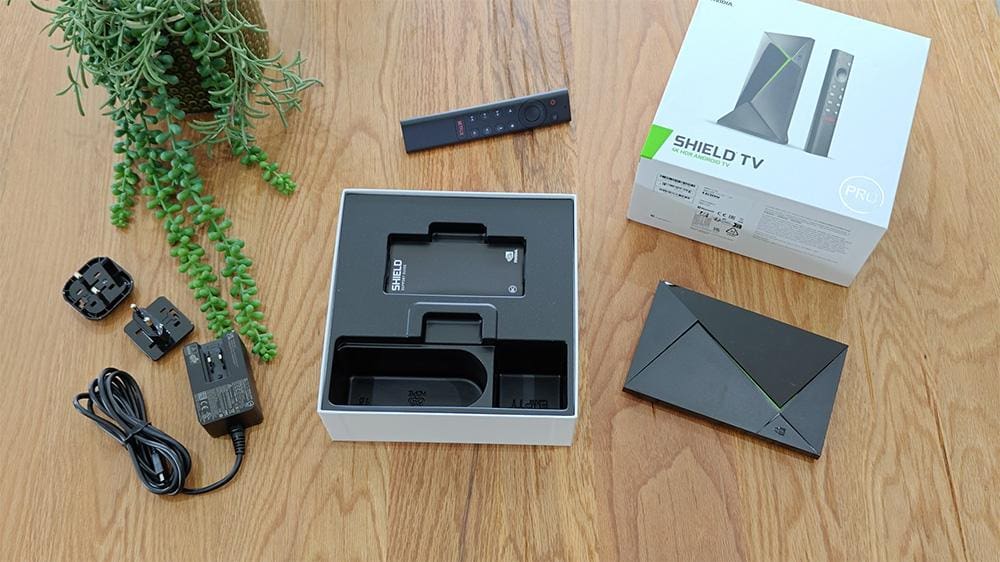
Unboxing the NVIDIA Shield TV Pro

Let’s start with the unboxing. From the outset, it’s clear that this device is built with quality in mind. The Shield TV Pro has a sleek, compact design that exudes premium vibes. Inside the box, you’ll find:

  • The NVIDIA Shield TV Pro.
  • The redesigned Shield Remote.
  • Power adapter.
  • 2x AAA batteries (yay, they’re already inside the remote!).

However, there’s one thing missing: an HDMI cable. Make sure to grab one that supports 4K HDR to enjoy the device to its fullest.

A quick note on the build: the Shield TV Pro feels sturdy and substantial in your hands, weighing around 250 grams. It’s compact enough to fit easily into your entertainment setup, but just heavy enough to feel like quality.

NVIDIA Shield TV Pro Specs and Features

ComponentSpecification
Price:US: $197.00 | UK: £189.00
Processor:NVIDIA Tegra X1+
GPU:256-core Maxwell GPU
RAM:3GB DDR4
Storage:16GB internal (expandable via USB flash or hard drives)
Video Playback:Up to 4K HDR at 60 FPS (H.265/HEVC) | 4K at 60 FPS (VP8, VP9, H.264, MPEG1/2) | 1080p at 60 FPS (H.263, MJPEG, MPEG4, WMV9/VC1)
HDR Support:Dolby Vision HDR and HDR10
Upscaling:AI-enhanced upscaling for up to 4K at 60 FPS
Audio Support:Dolby Atmos | Dolby Digital | DTS-X
Wireless:802.11ac 2x2 MIMO 2.4 GHz and 5 GHz Wi-Fi | Bluetooth 5.0 + LE | Captive Portal
Ethernet:Gigabit Ethernet
HDMI:HDMI 2.0b with HDCP 2.2 and CEC support
USB:2 x USB 3.0 Ports (Type A)
Operating System:Android 11.0 powered by Android TV™ with Chromecast 4K built-in
Voice Assistants:Built-in Google Assistant | Hands-free Voice Control† | Google Home compatible* | Amazon Echo compatible*
Remote:SHIELD Remote with microphone, motion-activated backlit buttons, 3-way programmable, Bluetooth, IR blaster, Remote locator, 2x AAA batteries
Power:40 W power adapter, typical consumption 5-10 W
Weight:8.8 oz / 250 g
Dimensions:Height: 3.858 in / 9.800 cm, Width: 6.26 in / 15.900 cm, Depth: 1.02 in / 2.593 cm
Notes:* Google ecosystem includes the Google Assistant, Google Play Movies and TV app, Google Music app, Google photos, and access to Google calendar. Amazon ecosystem includes Alexa voice assistant with Amazon Echo device linked to SHIELD, Prime Video app, and Amazon Music app | † Requires SHIELD Controller or Google Home Mini or Amazon Echo.

These specifications form the foundation of why the Shield is still considered one of the best streaming boxes in 2025.

NVIDIA Shield TV Pro Performance in 2025

Performance is where the Shield TV Pro continues to excel. Apps launch instantly, menus remain smooth, and the AI-powered upscaling sharpens HD content into near-4K quality. In this NVIDIA Shield TV Pro Review, streaming with Dolby Vision and Atmos consistently delivers a cinema-grade experience.

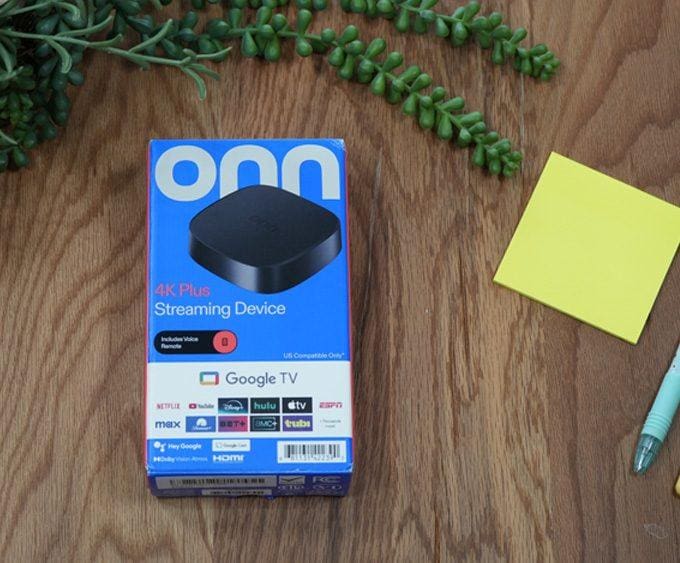
If you’re weighing the Shield against more affordable devices, our Onn 4K Plus Review
shows how much performance you can get for under $30, while the Google TV Streamer 4K Review demonstrates how a mid-range Google-powered device compares.

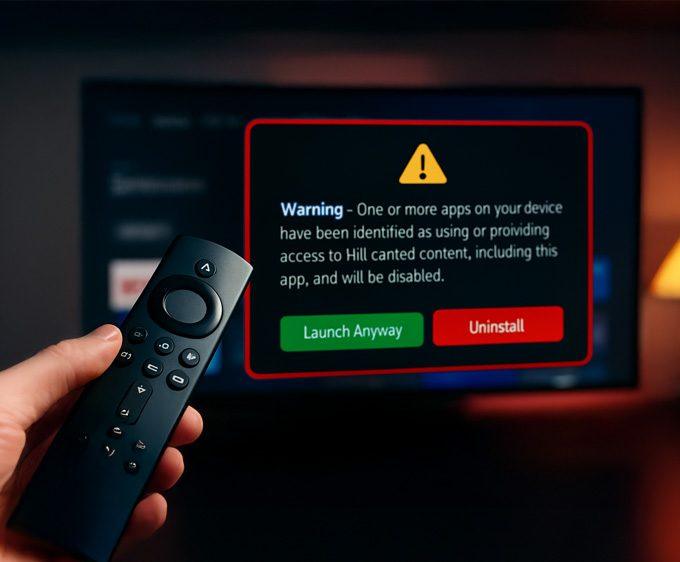
If you also use a Firestick at home and notice certain apps refusing to open, it may not be a device issue — some Fire TV models now show a new alert when apps are flagged. You can see the exact Firestick warning message and which apps are affected here: 👉 Firestick Blocks Are Now LIVE: The Exact Warning & Full List of Affected Apps.

You can also browse our full Product Reviews hub for hands-on tests of streaming devices, projectors, monitors, and mini PCs.

4K HDR and Upscaling Excellence

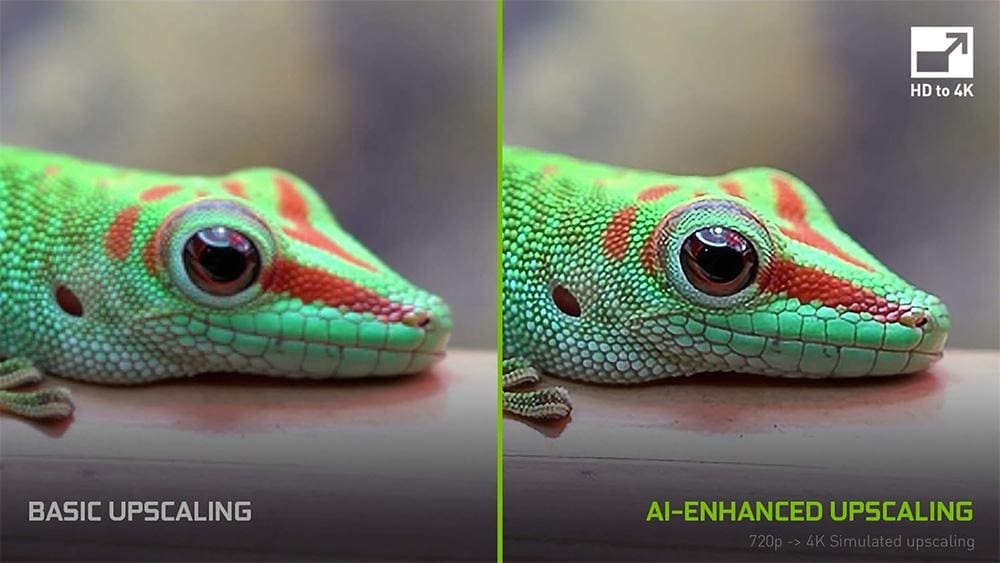
AI-Enhanced Upscaling is a powerful feature of the NVIDIA Shield TV Pro

One of the standout features of the Shield TV Pro is its ability to stream 4K HDR content with excellent picture quality. Whether you’re watching your favourite movies on Netflix, Disney+, or Apple TV+, the device supports Dolby Vision HDR and HDR10, ensuring vibrant colours, excellent contrast, and detailed visuals.

For non-4K content, the AI-enhanced upscaling does a remarkable job of transforming older HD videos into near-4K quality, and it does this at up to 60 frames per second. This means even your older videos get a significant boost in visual fidelity.

Supported Streaming Apps

The Shield TV Pro supports Netflix, Disney+, Prime Video, YouTube, and more in 4K HDR. However, as this NVIDIA Shield TV Pro Review highlights, UK users may notice gaps: BBC iPlayer and All4 aren’t officially supported. Workarounds exist, but it’s worth noting if UK-specific apps matter to you.

RegionServiceOfficial Native UHD Support
UK and USNetflix✅ Yes - (4K, HDR10, Dolby Vision, Dolby Atmos)
UK and USAmazon Prime Video✅ Yes - (4K, HDR10, Dolby Vision, Dolby Atmos)
UK and USGoogle Play Movies and TV✅ Yes - (4K, Dolby Vision)
USVudu✅ Yes - (4K, HDR10, Dolby Vision, Dolby Atmos)
UK and USDisney+✅ Yes - (4K, HDR10, Dolby Vision, Dolby Atmos)
UK and USYouTube✅ Yes - (4K)
UKBBC iPlayer❌ No - limited to 720p HD
UKITVX❌ No - user experience varies but may be limited to 720p HD
UKMy5❌ No - user experience varies but may be limited to 720p HD
UKNow TV❌ No 4K/HDR - even with Boost only HD/1080p
UKAll4🚫 app unavailable
USYouTube TV (live TV)⚠️ 4K depends on provider add-on & content

NVIDIA Shield TV Pro Remote Review

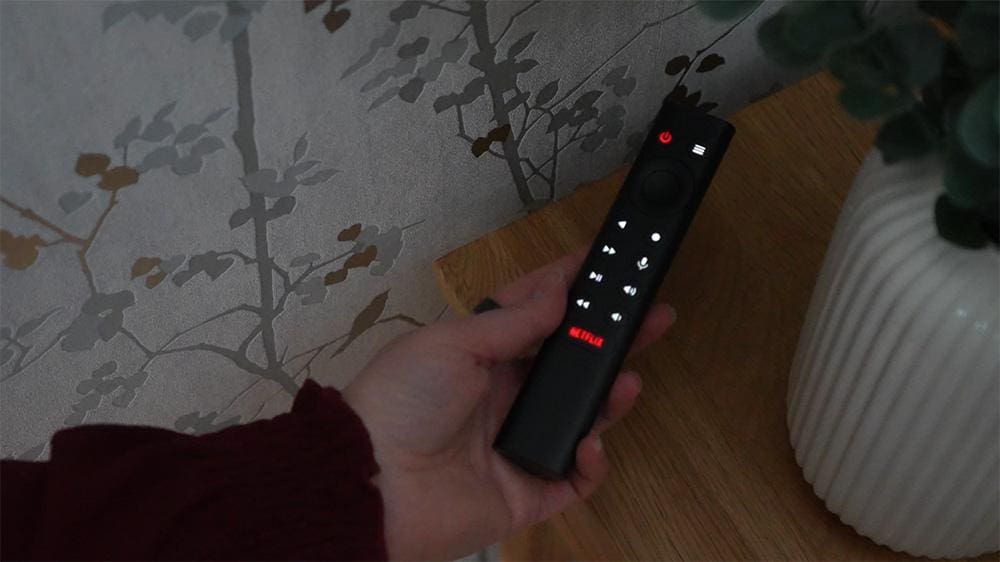
The NVIDIA Shield TV remote

No great streaming experience is complete without a great remote—and in our NVIDIA Shield TV Pro review, we found that the Shield Remote doesn’t disappoint.

This isn’t your basic stick-style clicker. The Shield Remote features:

  • Motion-activated backlit buttons, perfect for late-night viewing.
  • A built-in microphone for voice search and commands via the Google Assistant.
  • A triangular ergonomic design, which feels unique but surprisingly comfortable.
  • Bluetooth connectivity with an IR blaster, allowing you to control your TV, soundbar, or AV receiver.
  • A remote locator feature, so if it slips between the cushions, you can find it with ease.

It’s also a programmable 3-way remote, meaning you can customise buttons to launch specific apps or control other devices in your home cinema setup. It’s genuinely one of the best remotes bundled with a streaming device, adding to the Shield TV Pro’s premium feel.

NVIDIA Shield TV Pro Audio and Home Cinema Use

For home theatre fans, the Shield TV Pro is hard to beat. With Dolby Atmos and DTS-X pass-through, it delivers immersive sound when connected to a capable receiver or soundbar. Our NVIDIA Shield TV Pro Review found it easily handles everything from Netflix Atmos content to Plex libraries.

Storage and Connectivity on NVIDIA Shield TV Pro

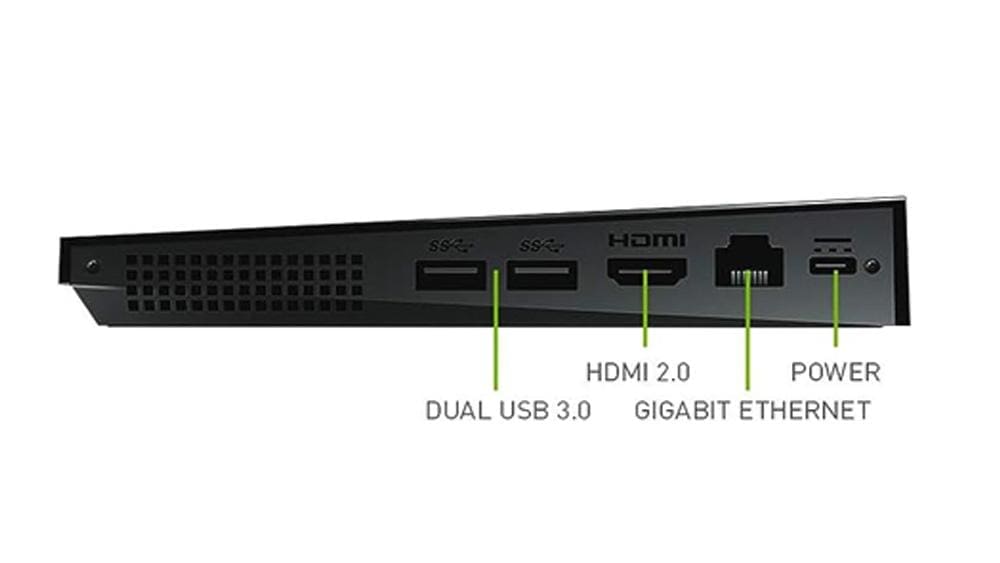
Ports on the NVIDIA Shield TV Pro

With just 16GB internal storage, space runs out quickly. Luckily, expansion is easy with USB 3.0 drives. Gigabit Ethernet and dual-band Wi-Fi ensure stable connections, whether streaming or gaming. This NVIDIA Shield TV Pro Review confirms it’s built to handle heavy workloads without slowdown.

Android TV & Software Features

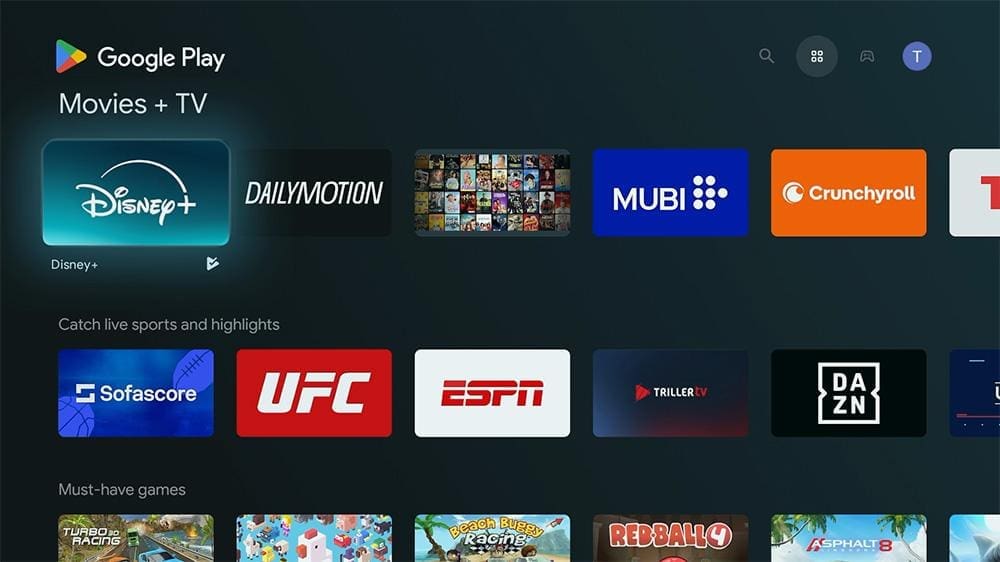
Android TV on the NVIDIA Shield TV features access thousand of apps through the Google Play Store

The Shield TV Pro runs on Android TV 11, giving you full access to the Google Play Store and a huge library of streaming and utility apps. You can also sideload applications, allowing you to explore a broader range of tools and features beyond what’s officially supported.

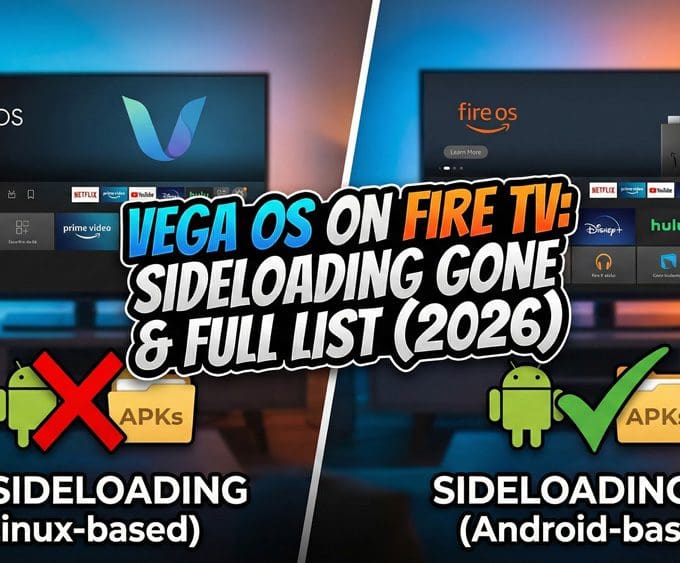
Google originally planned to ban sideloading on Android TV and Google TV by 2026 — but later softened that decision. Instead of blocking sideloading entirely, Google is introducing a safer “experienced user” installation flow and lighter developer verification requirements.
Full breakdown: Google Softens Sideloading Blocks on Android TV.

The built-in Chromecast 4K further enhances usability, making it effortless to cast your favourite content from your phone or tablet.

What really sets the Shield TV Pro apart is NVIDIA’s ongoing commitment to long-term software support. They continue to release meaningful updates that improve stability, fix bugs, and refine the user experience. Their latest release — Shield Experience 9.2.2 — adds new accessibility tools, remote improvements, and key fixes like resolving Disney+ audio dropouts.

NVIDIA’s consistent update cycle keeps the Shield TV Pro feeling modern and ensures it remains one of the most reliable Android TV devices available today.

NVIDIA Shield TV Pro Gaming Features

Gaming on the NVIDIA Shield TV Pro

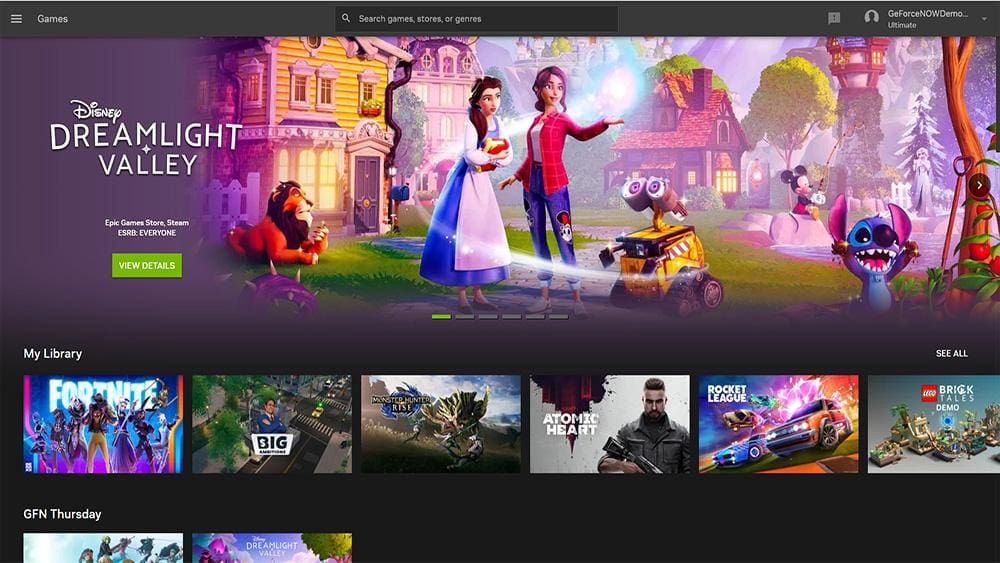
For gamers, the Shield TV Pro is more than just a media streamer—it’s also a solid gaming device. With support for GeForce NOW cloud gaming, you can stream high-end PC games with stunning visuals.

The device also supports Android gaming through the Google Play Store, allowing you to play a wide range of mobile games on the big screen.

Verdict – NVIDIA Shield TV Pro Review 2025

So, is the Shield TV Pro still worth it? Based on our NVIDIA Shield TV Pro Review, the answer is yes. The NVIDIA Shield TV Pro is a powerhouse that continues to dominate in the streaming and gaming space. Its performance, despite being from a 2019 chipset, is still incredibly capable, especially with the regular software updates from NVIDIA.

While it may not be perfect for UK users due to the limitations with BBC iPlayer and the absence of All4, it’s still an excellent choice for anyone seeking an all-in-one media hub. If you’re ready to make the investment and want the best in audio and visual quality, the Shield TV Pro is definitely worth considering.

For more streaming device reviews, alternatives, and side-by-side comparisons, visit our Streaming Devices hub.

What do you think of the NVIDIA Shield TV Pro? Have you tried it out? Drop your thoughts in the comments below! And if you found this post useful, don’t forget to share it and follow us for more detailed tech reviews and insights.

Frequently Asked Questions

Is the NVIDIA Shield TV Pro still worth buying in 2025?

Yes. Our NVIDIA Shield TV Pro Review shows that the device continues to be one of the most powerful streaming and gaming boxes available. With AI upscaling, Dolby Vision, and GeForce NOW support, it’s still the top choice for users who want more than basic streaming.

This NVIDIA Shield TV Pro Review highlights features like AI upscaling, Dolby Vision/Atmos, and GeForce NOW gaming—options not found on budget boxes.

Absolutely. With GeForce NOW, Android gaming, and retro emulation support, this NVIDIA Shield TV Pro Review confirms it’s a solid option for gamers.

Our NVIDIA Shield TV Pro Review notes that Netflix, Disney+, and Prime Video run perfectly, but BBC iPlayer and All4 may need workarounds.

The device comes with 16GB internal storage, expandable via USB. This NVIDIA Shield TV Pro Review confirms expansion is simple.

Unboxing the NVIDIA Shield TV Pro
8.6
Review Overview
The Pros
Netflix Certified & Wide App Support AI 4K Upscaling for Sharper Video Dolby Vision & Dolby Atmos Support Fast Tegra X1+ Processor Excellent Gaming Performance (GeForce NOW + Emulation) Feature-Rich Backlit Remote Expandable Storage via USB 3.0 Stable Gigabit Ethernet & Wi-Fi Connectivity Regular Software Updates
The Cons
Only 16GB Internal Storage Limited Official UK App Support (BBC iPlayer, All4) Premium Price Compared to Budget Boxes No HDMI Cable Included Design May Feel Bulky Compared to Stick Devices
  • Performance & Speed9.5
  • Streaming & App Support9
  • Gaming Capabilities9
  • Audio & Video Quality9
  • Remote & Ease of Use8.5
  • Connectivity Options8.5
  • Value for Money8
  • Storage & Expandability7.5
Buy Now
Written by
Tanya

Tanya is the founder of unboxd.tech, where she shares guides, reviews, and tips on streaming devices and apps. She focuses on making streaming simple with practical fixes and smart home insights.

Leave a comment

Leave a Reply

Your email address will not be published. Required fields are marked *

Related Articles

Google TV Streamer 4K Review – Chromecast’s Big Upgrade

Google’s new TV Streamer 4K isn’t just another media box — it’s...

Thomson Streaming Box Plus 270 Review: ONN 4K Pro Alternative

In this Thomson Streaming Box Plus 270 Review, we take a deep...

Infomir MAG555: What You Need to Know Before You Buy

Welcome to our Infomir MAG555 Review. This new Google TV streaming box...

Onn 4K Plus Review: Unbeatable 4K Streaming for Less

In today’s digital age, streaming devices have become essential for entertainment enthusiasts....