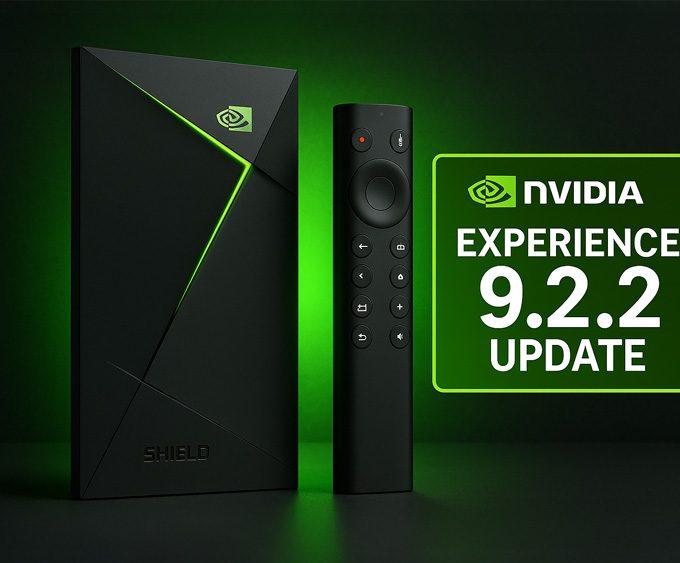
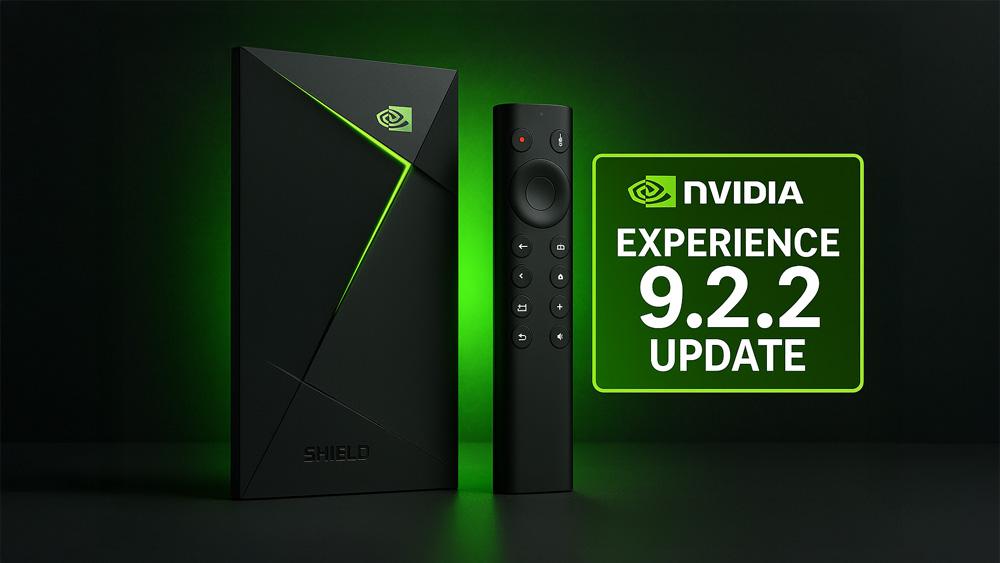
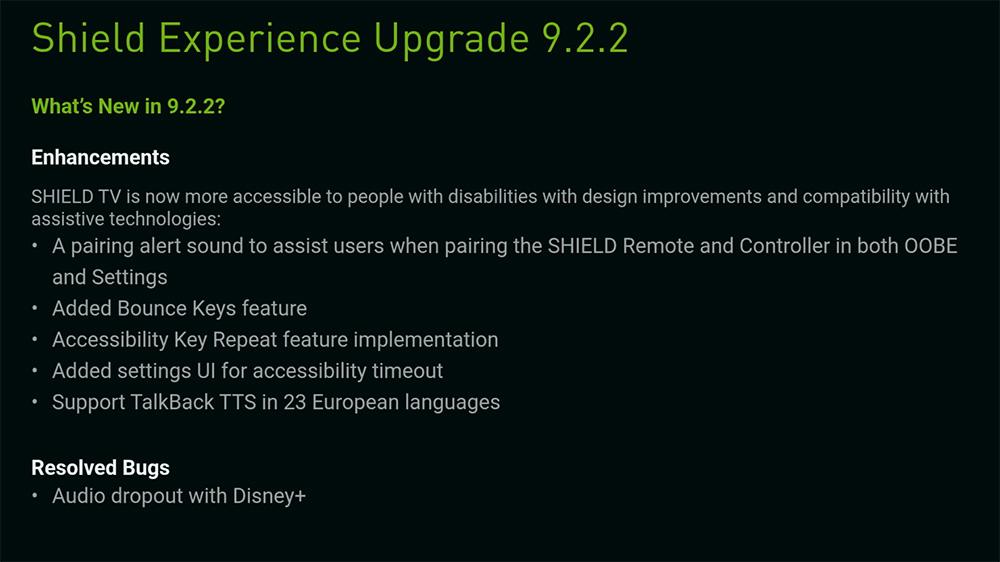
NVIDIA has rolled out the Shield Experience 9.2.2 update, bringing new accessibility features, a Disney+ audio fix, and major stability improvements to all Shield TV models.
The NVIDIA Shield TV line continues to impress. The company pushed out the latest firmware update, Shield Experience 9.2.2, across all models — from the 2015 box to the 2025 Tube model. In this post, we break down what’s new, why it matters, and whether you should install it right now.
For more updates like this, you can browse our Streaming Device News section covering OS updates, device fixes, and major Google TV and Fire TV changes.
If you’re exploring whether the Shield still holds up in 2025, don’t miss our NVIDIA Shield TV Pro Review for performance insights.
Every Shield TV runs on the “Shield Experience” software layer that NVIDIA builds on top of Android TV / Google TV. Version 9.2.2 introduces a mix of accessibility enhancements, stability fixes, and key bug resolutions. The update weighs in at around ~800MB+, signalling that NVIDIA shipped a full firmware refresh rather than a small patch.
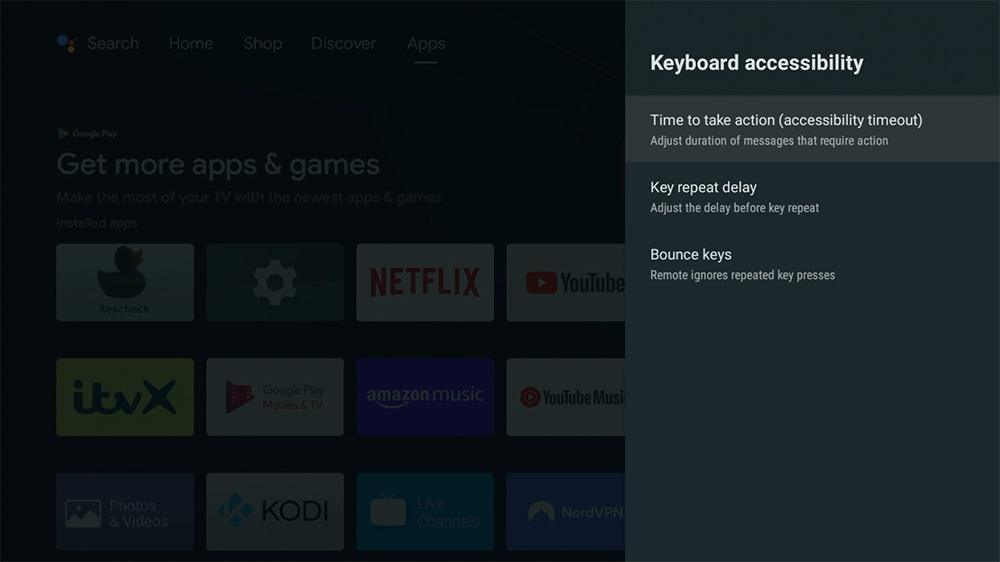
1. Accessibility Upgrades
This update brings several meaningful accessibility improvements. Users will now notice:
👉 Want more Shield tips? Try our NVIDIA Shield Tips: Top 5 Hidden Features.
2. Disney+ Audio Bug Fix
For many Shield TV owners, one persistent annoyance has been random audio dropouts during playback on Disney+. With 9.2.2, NVIDIA confirms the issue is addressed. If you’ve ever switched apps mid-stream and heard the sound cut out — this may finally be fixed.
3. Stability & Compatibility Enhancements
While less flashy than new features, items like improved compatibility with various HDR/AVR setups, smoother streaming experience, and behind-the-scenes bug fixes all contribute to a better day-to-day experience. For users relying on their Shield as a media hub, these updates are meaningful.
You can also explore wider industry changes in our Tech News section, where we track OS-level updates across Google TV, Fire TV, and Android TV.
Yes — but be prepared.
If you’re using your Shield TV regularly (4K streaming, gaming, NAS connectivity), installing version 9.2.2 is a good idea. The major accessibility improvements and the Disney+ fix alone make it worthwhile.
However, keep in mind:
Need help maintaining performance? Check out How to Clear Cache & Improve Firestick Performance — most steps also apply to Android/Google TV boxes.
If you want more OS update walkthroughs, see our Google TV Streamer 4K Setup Guide.
In an era when many streaming devices get abandoned after 1-3 years of support, the Shield TV line stands out by receiving meaningful firmware updates well into its lifespan. For tech-savvy consumers, this means better longevity, improved value, and fewer compatibility headaches. The fact that NVIDIA still prioritises accessibility speaks volumes as well.
If you’re following major OS changes across the streaming world, Amazon is also preparing a huge shift with its upcoming Vega OS replacement for Fire OS — one of the biggest moves in the Fire TV ecosystem.
Whether you own a Shield Tube, Shield Pro, or an older Shield TV model, the 9.2.2 update brings enough worthwhile enhancements to justify an install. It may not introduce radical new features, but the bug fixes and quality-of-life improvements make a tangible difference. Go ahead and update — and let us know in the comments if the Disney+ audio fix worked for you.
If you’re comparing devices for your next streaming upgrade, you may also want to read our Google TV Streamer 4K Review and ONN 4K Plus Review.
For ongoing updates affecting Google TV, Shield TV, and Fire TV devices, check our Streaming Device News hub.
| Item | Details |
|---|---|
| Update Version | Shield Experience 9.2.2 |
| Applicable Devices | All NVIDIA Shield TV models |
| Download Size | ~800 MB+ |
| Highlights | Accessibility upgrades, Disney+ audio fix, stability improvements |
| Update Path | Settings → Device Preferences → About → System Upgrade → Check for upgrades |
Tanya is the founder of unboxd.tech, where she shares guides, reviews, and tips on streaming devices and apps. She focuses on making streaming simple with practical fixes and smart home insights.
Amazon has begun device-level blocks on Fire TV devices, and the Firestick...
ByTanya1 month AgoAndroid users have been watching closely as Google Android sideloading rules began...
ByTanya2 months AgoFor years, UK viewers have relied on Freeview and Freesat for free-to-air...
ByGuy3 months AgoAmazon has confirmed that Amazon Prime Day 2025 will run October 7–8....
ByGuy3 months Ago
Hi Tanya. Is it worth it to upgrade to an Nvidia Shield from a Firestick 4k at this point? OR wait until FS can no longer side load?
I would wait until you can no longer use the Firestick to sideload. There are workarounds for apps that are blocked and that makes it worthwhile sticking with it for now.