



Friday , 2 January 2026
Home Product Reviews Monitors KTC 27 Inch Gaming Monitor Review | 180Hz HDR10 QHD
Monitors

KTC 27 Inch Gaming Monitor Review | 180Hz HDR10 QHD

A budget-friendly gaming monitor with crisp QHD visuals, buttery-smooth 180Hz refresh rate, and HDR10 support for immersive gameplay.

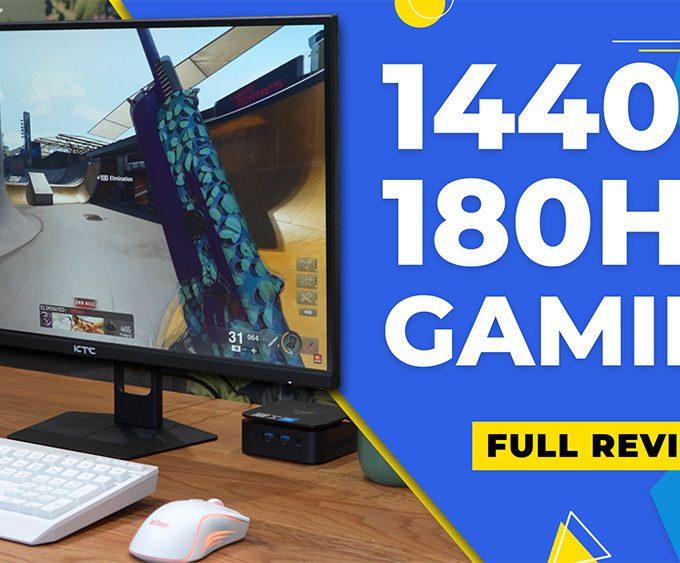
If you’re searching for a display that combines affordability with high-end gaming performance, this KTC 27 Inch Gaming Monitor review has you covered. Packed with a 180Hz refresh rate, 1 ms response time, and sharp QHD resolution, this monitor promises esports-ready performance at a budget-friendly price.

For more display reviews like this, explore our Monitors hub — covering 1080p, QHD, 4K, IPS, and high-refresh gaming panels.

⚠️ Heads up: This article contains affiliate links. If you buy through them, I may earn a small commission — it helps keep the site running and supports future reviews.

Table of Contents

Unboxing the KTC 27 Inch Gaming Monitor

Unboxing the KTC 27 inch gaming monitor

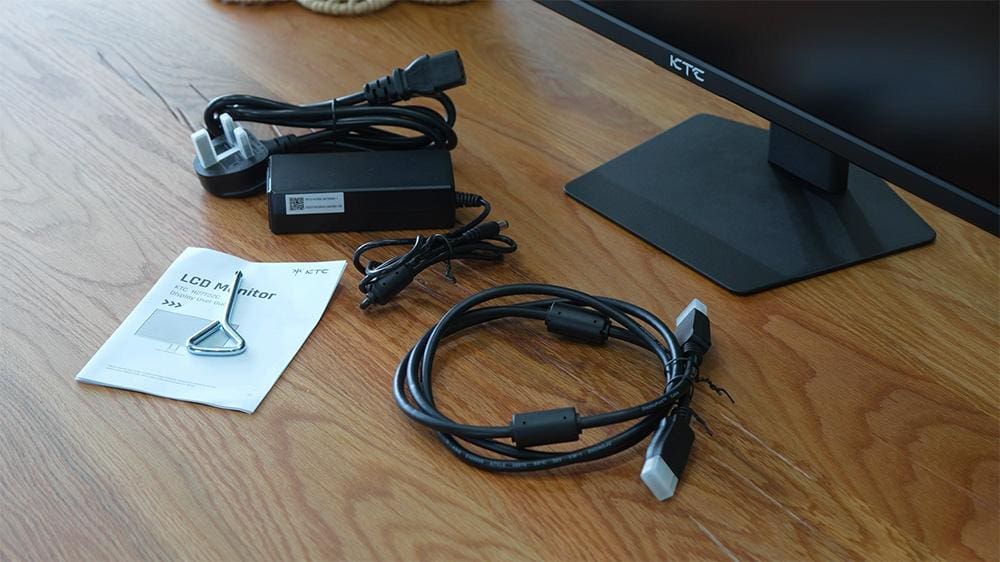
Right out of the box, the KTC 27 Inch gaming monitor comes neatly packaged in protective foam. Inside, you’ll find the screen, a sturdy metal stand, power brick, DisplayPort 1.4 and HDMI 2.0 cables, plus a user manual — everything you need to get setup quickly.

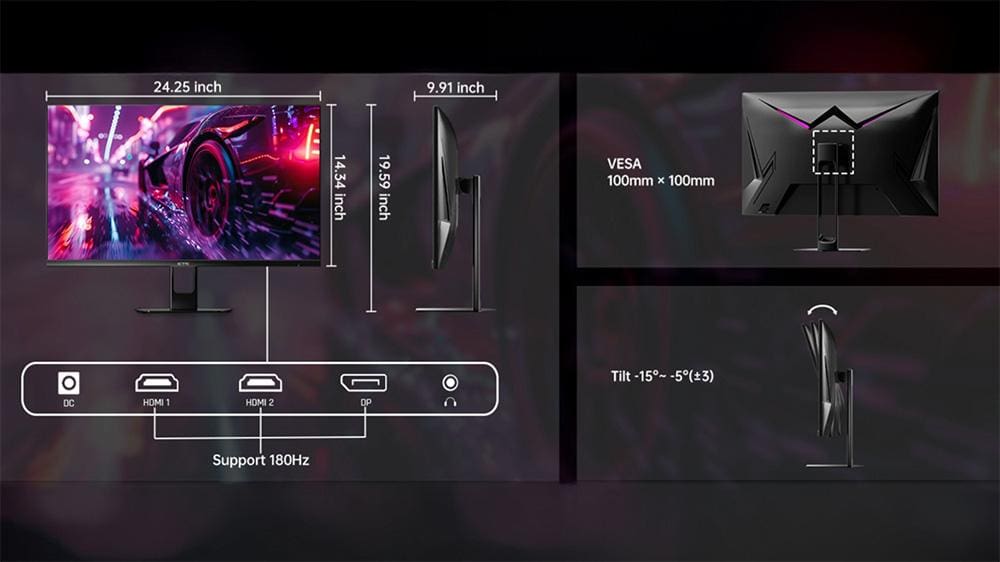
The stand feels solid, however it only supports tilt adjustment. There’s no height, swivel, or pivot flexibility, so users wanting ergonomic options may prefer a monitor arm.

Specs Snapshot

ComponentSpecification
Price:US: $106.24 | UK: £129.19 (prices correct as of August 2025)
Screen Size:27 Inch
Resolution:2560×1440 QHD (2K)
Panel Type:Fast IPS / Fast HVA
Refresh Rate:180Hz (some models up to 210Hz)
Response Time:1 ms
Adaptive Sync:AMD FreeSync Premium & NVIDIA G-Sync compatible
HDR Support:HDR10, brightness up to 300–450 nits
Colour Coverage:99–122% sRGB
Stand:Tilt-only (no height, swivel, or pivot)
Mounting:VESA compatible
Eye-Care Features:Flicker-free + Low Blue Light
Bezels:3-sided slim bezel design

This KTC monitor packs strong specifications for its price. As a result, this monitor provides gamers with smooth performance and sharp QHD visuals at a highly competitive price.

KTC 27 Inch Monitor: Performance in Gaming & Visuals

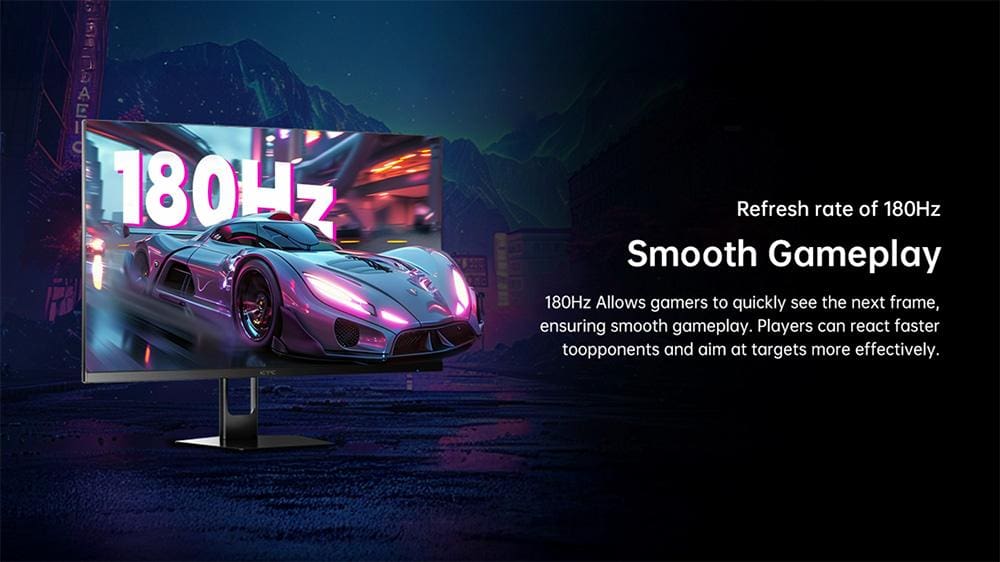
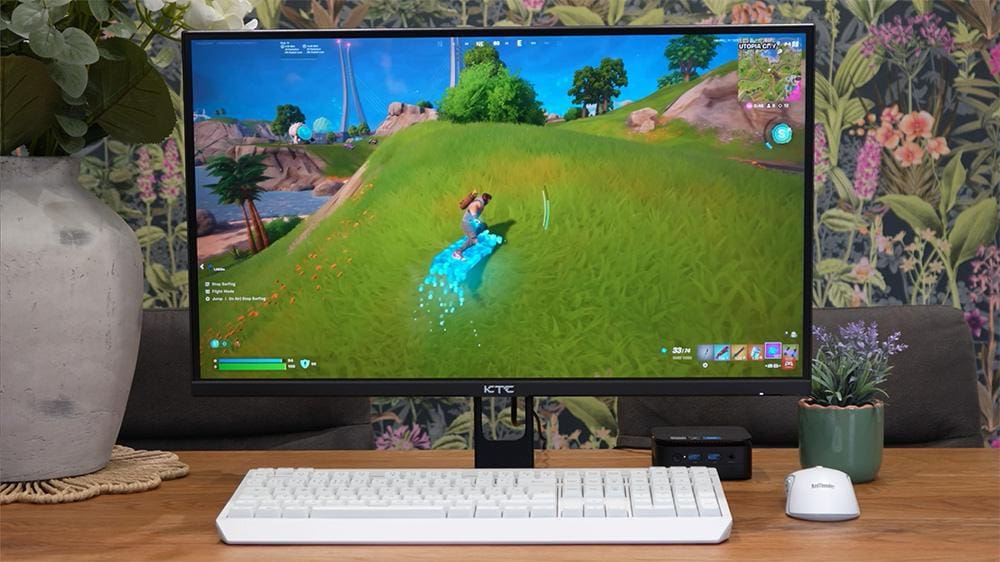
When put to the test, the image quality is vibrant and detailed with accurate colours and strong contrast. Games look crisp and fluid, especially when using DisplayPort to unlock the 180Hz refresh rate. For example, in competitive shooters, the 180Hz refresh rate ensures fluid motion that gives players a real edge.

The 1 ms response time helps eliminate ghosting, threfore it’s suitable for fast-paced competitive gaming. In fact, reviewers have noted that it performs comparably to pricier displays in esports titles.

If you’re considering a compact PC to pair with this monitor, the NiPoGi Mini PC Review shows how a small but powerful machine can complement a high-refresh display for both gaming and productivity.

You can also browse our full Product Reviews hub for side-by-side tests of streaming devices, monitors, mini PCs, and home-entertainment hardware.

Ergonomics & Build Quality

KTC 27 inch gaming monitor build and dimensions

The build is solid thanks to its metal stand, but adjustment options are limited to tilt only. Without a riser, the monitor may sit lower than ideal for some users. On the other hand, users who require height or swivel adjustments may need to consider a monitor arm.

Additionally, the slim three-sided bezels give it a modern look, making it well-suited for dual-monitor setups or minimalist gaming desks.

Features & Usability of the KTC 27 Inch Monitor

The KTC 27 Inch monitor includes Adaptive Sync, which smooths out gameplay by eliminating screen tearing and stuttering. HDR10 improves brightness and highlights, though this isn’t a “true HDR” display with local dimming.

There are no built-in speakers, instead, you’ll need to connect external audio solutions such as headphones or speakers. On the plus side, eye comfort is considered with flicker-free technology and a low blue light mode. Moreover, the OSD (on-screen display) uses a rear joystick, which is intuitive and easy to navigate.

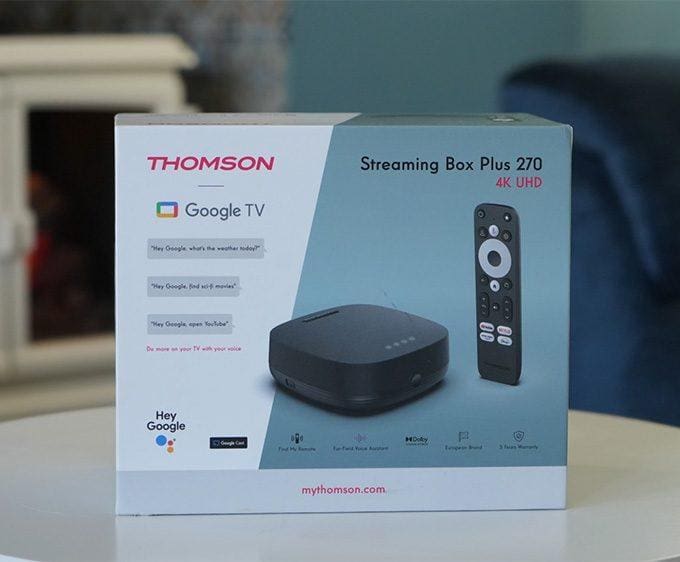
For those using monitors as hybrid screens for entertainment, our NVIDIA Shield TV Pro and Google TV Streamer 4K reviews explore powerful streaming devices that can transform this KTC monitor into a home cinema setup. Alternatively, the Infomir MAG555 Review covers another Google TV box that pairs well with an affordable display like this.

Verdict: Is the KTC 27 Inch Gaming Monitor Worth It?

Overall, this KTC 27 Inch Gaming Monitor Review demonstrates that performance and value can go hand in hand. The KTC 27 Inch Gaming Monitor is an outstanding value option for gamers who want crisp QHD visuals and esports-ready performance without spending a fortune. The combination of a 180Hz refresh rate, 1 ms response time, and Adaptive Sync support makes it ideal for competitive play.

While the tilt-only stand and lack of speakers are minor limitations, this monitor delivers where it matters most — speed, clarity, and affordability.

Check the latest price on Amazon or view more details on the official KTC website.

Also, explore our gaming monitor reviews to compare it with other models.

Frequently Asked Questions – KTC 27 Inch Gaming Monitor

Does the KTC 27 Inch monitor support G-Sync and FreeSync?

Yes, it’s Adaptive Sync compatible, supporting FreeSync Premium and working with NVIDIA G-Sync. As a result, gameplay remains smooth and tear-free.

Is the HDR performance effective on the monitor?

Yes, HDR10 improves brightness and contrast, but it is not full HDR with local dimming. Therefore, expect enhancements, but not the depth of premium HDR panels. Therefore, you’ll see improvements in brightness and contrast, but not the deep blacks of high-end HDR monitors.

Can I adjust the KTC 27 Inch monitor height or swivel?

No — the stand only supports tilt. However, you can use a VESA-compatible arm or riser for more flexibility.

Does the monitor have built-in speakers?

No, there are no built-in speakers. You’ll need to connect external speakers or headphones for audio.

Yes, the remote is very similar but adds a large blue “Free TV” button and a “Find My Remote” feature. In addition, it can control your TV’s power and volume as a universal remote.

Hands-free Google Assistant works via the built-in 3W speaker and dual microphones. There’s also Apps Only Mode, a customizable Star button, a remappable Live TV button, and a Find My Remote function.

8.3
Review Overview
The Pros
Sharp 1440p visuals with vibrant colours 180Hz refresh rate + 1 ms response time Excellent price-to-performance ratio FreeSync Premium and G-Sync compatible HDR10 support with good brightness Solid design with slim bezels
The Cons
Tilt-only stand (no height, swivel, or pivot) No built-in speakers HDR is basic compared to premium monitors
  • Picture Quality8.5
  • Gaming Performance9
  • Ergonomics7
  • Build Quality8
  • Features8
  • Value for Money9
Buy Now
Written by
Tanya

Tanya is the founder of unboxd.tech, where she shares guides, reviews, and tips on streaming devices and apps. She focuses on making streaming simple with practical fixes and smart home insights.

Leave a comment

Leave a Reply

Your email address will not be published. Required fields are marked *