Friday , 2 January 2026
Home Streaming Apps & Services App Features & Updates Netflix Downloads in 2025: How to Watch Offline Anywhere
App Features & Updates

Netflix Downloads in 2025: How to Watch Offline Anywhere

A step-by-step guide to downloading Netflix shows and movies in 2025 on Fire tablets, iPhone, iPad, Android, and Chromebook.

Netflix Downloads in 2025

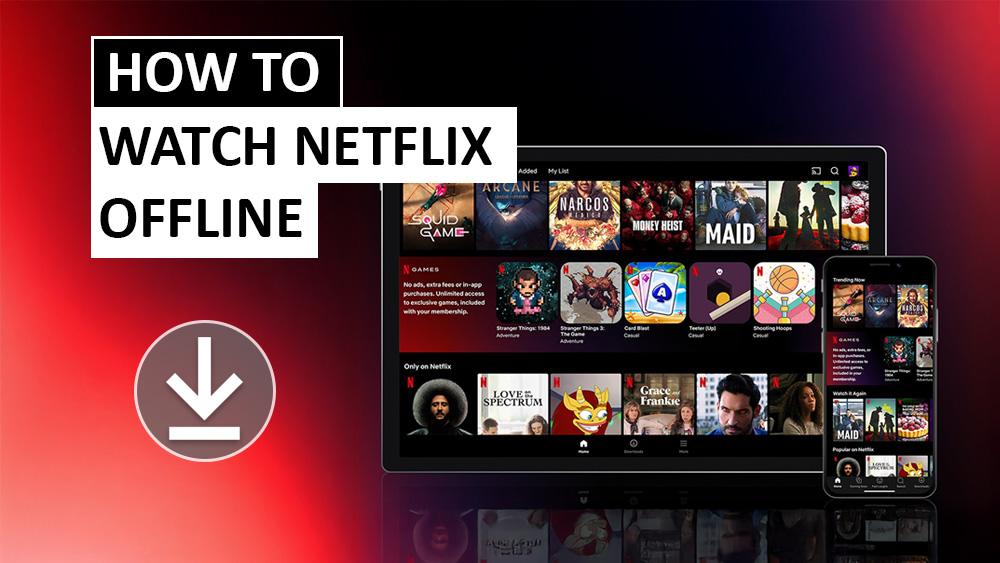
Streaming is convenient, but sometimes you need entertainment without an internet connection. For this reason, Netflix downloads 2025 are essential, allowing you to save shows and movies to watch offline whenever you want. Whether you’re travelling, commuting, or conserving data, this guide explains how to download Netflix titles, which devices support them, and how offline viewing works today.

For more guides on new app features and streaming upgrades, visit our App Features & Updates hub.

Devices That Support Netflix Downloads 2025

To use downloads, you need the latest version of the Netflix app installed on a supported device. In other words, make sure your app is always updated.

In 2025, you can download shows and movies on:

  • Android phones and tablets
  • iPhone and iPad
  • Amazon Fire tablets
  • Google Chromebooks (with Google Play Store installed)

Older operating system versions may not support downloads. Therefore, it’s important to update your device regularly to make sure you don’t miss this feature.

Finding Netflix Downloads in 2025

Not every show or movie is available for offline viewing. However, Netflix makes it easy to find eligible titles. Even so, it’s always worth checking which shows are included.

  • On iPhone, iPad, Android, or Fire devices: go to Downloads > See What You Can Download
  • On a Chromebook: go to Downloads > Find More to Download

You can save any title that shows the download icon (–). In fact, these icons are clearly marked within the app. For full details, visit the official Netflix Help Center guide.

How to Start Netflix Downloads 2025

Once you’ve chosen a title, downloading is simple. Open the Netflix app and select your show or movie. After that, choose Download to save it.

For movies, tap Download. For TV shows, you can download single episodes by tapping the icon next to them, or select Download Season to save everything at once.

Netflix recommends connecting to Wi-Fi before downloading. In addition, this prevents large files from using your mobile data.

If you travel or switch regions and want consistent access to Netflix libraries while downloading, our Proton VPN Free on Firestick & Google TV guide shows how to stay private, secure, and connected without paying anything.

You can also explore our full Streaming Apps & Services section for platform updates across Netflix, Prime Video, Disney+, Peacock, and more.

Netflix Downloads 2025: Limits and Storage Rules

The number of downloads depends on your plan:

  • Ad-free plans allow up to 100 active downloads per device.
  • Ad-supported plans allow up to 15 downloads per device per month.

Meanwhile, if you cancel your Netflix account, you lose all downloads. However, once you restart your membership, you can save content again.

If you’re using a Fire TV or Google TV device, clearing cache can free space for larger downloads β€” see our full guide: Clear Cache & Improve Firestick Performance.

Watching Netflix Downloads Offline in 2025

To watch your saved titles offline, open the Netflix app, tap Downloads, and press Play on the show or movie you want.

You need to stay signed in to your Netflix account. Otherwise, you won’t be able to access your downloads offline. You can only watch downloads on the device where you saved them, but any profile on that device can play them.

For Kids profiles, higher-rated content may not appear offline. As a result, children can only watch content that matches their allowed maturity rating.

Netflix Downloads 2025: Expiration and Renewal Rules

Downloads don’t last forever. For example, some expire after a set time, while others can only be downloaded a certain number of times each year.

In fact, many shows and movies expire within days if you don’t watch them. Once you’ve finished watching, it’s best to delete old files. Finally, this frees up storage for new ones.

Conclusion

Netflix downloads in 2025 continue to give viewers flexibility. By saving shows and movies in advance, you can enjoy your favourite content on Fire tablets, Android, iOS, or Chromebook β€” even without an internet connection. With clear rules based on your plan, downloads are best managed by keeping your device updated, staying within storage limits, and refreshing titles when needed.

πŸ‘‰ For more app-specific streaming updates, check out our App Features & Updates hub β€” or browse the full Streaming Apps & Services section.

FAQ

Can I watch Netflix downloads without internet?

Yes. Once a title has been downloaded, you can watch it offline anywhere. You just need to stay signed in to your Netflix account.

Do downloads use mobile data?

Only when saving them. Netflix recommends using Wi-Fi to download. Watching offline does not use data.

How many downloads can I have on my device?

Ad-free plans allow up to 100 downloads per device. Ad-supported plans are limited to 15 downloads per device each month.

Do downloads expire?

Yes. Some downloads expire after a certain time, and others may be limited to a set number of downloads per year.

Can Kids profiles use downloads?

Yes, but only for content within the allowed maturity rating. Higher-rated shows and movies may not be available offline on Kids profiles.

Written by
Tanya

Tanya is the founder of unboxd.tech, where she shares guides, reviews, and tips on streaming devices and apps. She focuses on making streaming simple with practical fixes and smart home insights.

Leave a comment

Leave a Reply

Your email address will not be published. Required fields are marked *

Related Articles

Disney+ IMAX Enhanced Explained: Do You Notice a Difference?

Disney+ has always been a go-to for Marvel blockbusters, Pixar classics, and...